When a supplier says a cleaning robot “works with your cleaning schedule” or “learns its routes,” the claim should cover four things. The robot stores a map and cleaning routes for each area. It starts jobs on a timetable without someone pressing start. It gets itself through the job, which can mean charging, handling water and waste, and passing doors or elevators. And it reports what it actually cleaned. If any of these needs a person standing by, the robot can still be useful, but it is not running unattended on your schedule.
This guide is for facilities, operations, and maintenance teams comparing autonomous floor scrubbers, sweepers, and multi-purpose cleaning robots. It explains how route learning and scheduling usually work, which site conditions decide whether a schedule holds up, and what to verify before you commit.
How Cleaning Robots Learn Routes
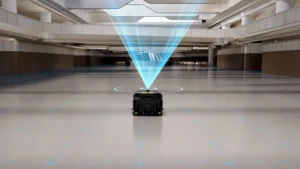
Commercial cleaning robots use sensors such as lidar and cameras to build a map of the space and locate themselves within it. Once the map exists, routes are usually created in one of two ways. Many robots support a mix of both.
Taught routes
An operator guides the robot along the path once, and the robot repeats that path on later runs. This suits narrow aisles, fixed edge-cleaning lines, and areas where you want the same path every time. The trade-off is that changes to the route usually mean teaching it again.
Zone-based coverage
The operator marks areas to clean on the map, plus areas to avoid, often called virtual walls or no-go zones. The robot’s software then plans the coverage path. This suits open areas such as lobbies, corridors, and warehouse floors. It also makes it easier to add or change an area without re-walking the route.
Either way, the first map and routes are created during deployment. Our guide to commercial cleaning robot deployment covers that setup phase step by step. What matters when you are comparing robots is how easy it is for your staff to keep maps and routes current after the installer leaves.
What “Works With Your Cleaning Schedule” Should Mean
Use this table to turn a general claim into specific questions. A robot does not need every item. It needs the ones your schedule depends on.
| Capability | What to ask | Why it matters |
|---|---|---|
| Scheduled starts | Can jobs start automatically by time and day of the week? Who can create and edit schedules, and from where? | Without this, someone has to start every run, which limits after-hours cleaning. |
| Different tasks per area | Can one schedule assign different areas and cleaning modes, for example dry sweeping in one zone and scrubbing in another? | Most buildings do not need the same task everywhere at the same time. |
| Charge and resume | If the battery runs low mid-job, does the robot return to charge and then continue where it stopped? | This decides whether a large area can be finished in one unattended window. |
| Water and waste handling | Is automatic water refill, drainage, or waste emptying available? Does it need an optional station? | Tank and bin capacity, not battery, often decide when a person has to step in. |
| Doors and elevators | Can the robot open access-controlled doors or call elevators? What hardware and building integration does that need? | Multi-floor or multi-zone schedules fail if the robot cannot reach the next area. |
| Exceptions | What happens when a path is blocked? Does the robot skip, wait, retry, or alert someone? Is a missed area cleaned later? | Real buildings have pallets, carts, and wet-floor signs in the way. |
| Reports and alerts | Does each run produce a record of the area covered, time taken, and missed areas? Who receives alerts, and how? | Supervisors need to confirm the work was done, not assume it. |
If your team uses a work order or facilities management system, ask whether cleaning records can be exported or connected to it, and what that involves. Don’t assume an integration exists because the robot has an app.
Facility Conditions That Decide Whether a Schedule Holds
Scheduling features only help if the building lets the robot follow the plan. Check these conditions before relying on a fixed timetable:
- How often the layout changes. Moving racking, merchandising displays, event furniture, or staged pallets can block routes or call for map updates. Ask how the robot handles a changed area and how long an update takes.
- Traffic during the cleaning window. A robot that cleans an empty lobby overnight may move much more slowly, or stop more often, around forklifts, carts, or shoppers. Plan schedules around the traffic the robot will actually meet.
- Floor type, condition, and debris. Cracked or uneven floors, thresholds, heavy grease, and large debris affect both cleaning results and navigation. Our article on which floors commercial cleaning robots can clean covers this in more detail.
- Cleaning chemicals. Confirm which detergents the manufacturer approves for the robot and any station. Unapproved chemicals can damage components and affect warranty terms.
- Connectivity. App control, alerts, and elevator or door integration may depend on Wi-Fi or cellular coverage along the route and at the station. Check coverage in stairwell lobbies, back corridors, and basements.
- Station location. A docking station that refills and drains water needs power, a water supply, and a drain nearby. It also needs a spot that stays clear of traffic.
- Areas that still need people. Stairs, tight corners, restrooms, and spot spills usually remain manual tasks. Build those into the staff schedule instead of expecting the robot to cover them.
Check That the Schedule Fits the Time You Have
Before you trust a timetable, check the arithmetic. For each scheduled job, estimate:
- Cleaning time: the area to clean, divided by a realistic coverage rate for the mode you will use.
- Service stops: time spent charging, refilling, draining, or emptying during the job.
- Travel: time spent moving between areas, waiting for elevators, or passing through doors.
Compare the total with your cleaning window and leave a margin for interruptions. Published coverage rates usually reflect open, unobstructed floors, so real rates are often lower in busy or cluttered areas. Our guide to choosing the right commercial cleaning robot explains how to compare runtime and coverage figures by cleaning mode.
Example: an overnight plan for a two-floor office building
This is an illustration, not a measured result. A facility team wants hard-floor corridors and the lobby scrubbed on weeknights after the building closes, plus a lighter dry pass on the second floor before staff arrive. To run this without a person present, the robot would need:
- separate saved zones for the lobby, first-floor corridors, and second-floor corridors
- two scheduled jobs with different modes
- elevator integration, or a second robot on the upper floor
- a docking station that can recharge the robot and handle water between jobs
- a morning report that shows any missed areas, so the day crew can follow up
If elevator integration is not practical in that building, the plan changes, so it is worth finding out early.
Examples From ServicePro’s Product Range
Automation features vary by model, and some depend on optional equipment. Based on the published product information at the time of writing:
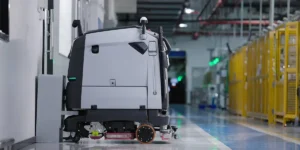
- Oscar Pro (PUDU CC1 Pro) is managed through the PUDU Link app. PUDU lists e-gate and elevator control as optional. Automatic charging, water refill, and drainage are supported but require the optional docking station.
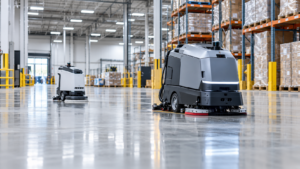
- AGIBOT C5 lists breakpoint resuming, cleaning of missed areas, and access control and elevator linkage. Its workstation handles automatic charging, water filling and drainage, and sewage tank self-cleaning.
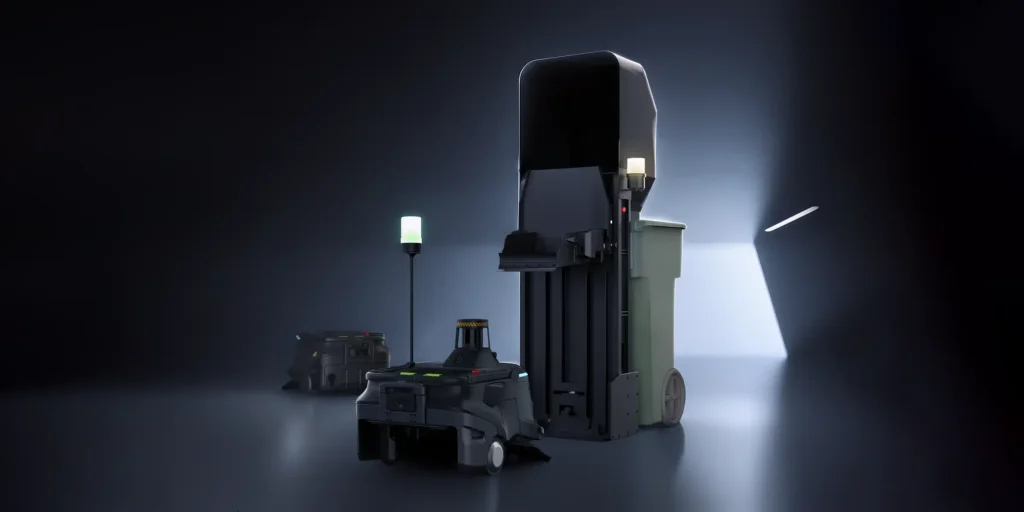
- PUDU MT1, a sweeper, can be paired with an optional base station that empties its bin. The robot can be set to go to the station when its bin-full detection triggers, or on a fixed schedule.
These features show what to look for. They do not guarantee that a given building will run unattended. Doors, elevators, network access, and floor conditions still need to be assessed on site. To compare scrubber models side by side, see our autonomous floor scrubbers range.
Questions to Ask Before You Buy
- Can you show me a schedule being created and edited by someone who is not a technician?
- How are routes taught or zones drawn, and how long does it take to update one area after a layout change?
- What happens when the robot runs low on battery, its tank fills, or its bin is full partway through a job?
- Which of the automation features you’ve described need an optional station, module, or building integration?
- What does the robot do when a route is blocked, and how is my team alerted?
- What does a run report show, and can we export it?
- Can we test the schedule in our own building, in the real cleaning window, before committing?
The last question matters most. A short demo shows that the robot can clean. A trial in the real window shows whether it can follow your schedule. Our cleaning robot demo checklist and guide to running a proof of concept explain how to structure that test.
FAQ
Can a cleaning robot run during business hours?
Often, yes, but expect it to slow down or pause around people and equipment. That reduces how much area it covers in a given time. Many sites schedule the main cleaning for quiet hours and use daytime runs for lighter maintenance.
Does the robot need to be remapped when furniture or stock moves?
Not always. Robots generally navigate around temporary obstacles, but permanent changes such as new racking, walls, or fixed displays usually call for an updated map or route. Ask who can make that change and how long it takes.
Is a docking station required for scheduled cleaning?
It depends on the model and how long the job runs. Without automatic charging and water handling, someone may need to charge the robot, refill it, or empty it between jobs. For some models, those functions require an optional station.
Find Out Whether Your Schedule Can Run Unattended
The quickest way to answer this is to walk through your floor plan, cleaning windows, and access points with someone who knows the robots. ServicePro can help you identify which models fit your areas and which features your schedule actually depends on. We can also show you what needs to be checked on site.
If you are getting your first robot, ServicePro currently offers $1,500 off your first robot, purchase or lease.
Specification sources
Product details in this article come from ServicePro’s product pages for Oscar Pro, AGIBOT C5, and PUDU MT1, and from PUDU’s published CC1 Pro product information. All were checked in November 2026. Features and options can change, so confirm the current configuration before purchase.